 Feedback Bubble
Published 9 October 2026 · By Jonathan Jones
Feedback Widget vs Contact Form for SaaS: Which Should You Use?
Compare a floating feedback widget with a traditional contact form, and decide how each can help your indie SaaS collect and understand customer messages.
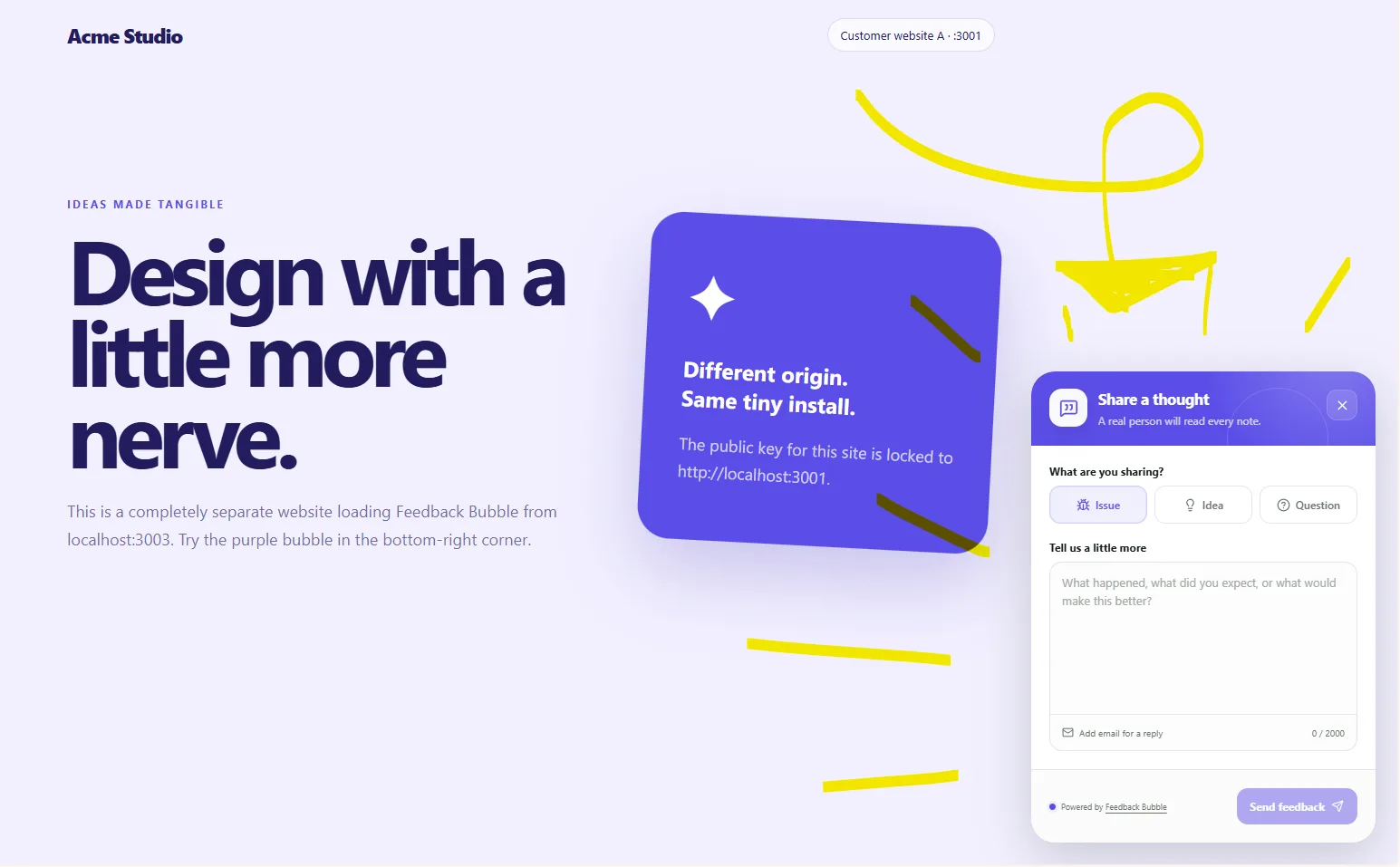
Use a contact form for general enquiries, such as billing or partnership questions. Add a floating feedback widget when you want visitors to report an issue, suggest an idea or ask a product question without leaving the page. The two can serve different purposes: a widget can also attach the page and available device context, helping you understand where a message came from.
What each option is good for
A traditional contact form gives people a familiar way to get in touch. It works well for questions that might not relate to a particular screen or moment in your product. You can include fields for a name, email address, subject and message, then handle submissions through your usual email or support process.
A feedback widget is placed on your website or app, usually as a small floating button. A visitor opens it where they are and sends a message under a category such as Issue, Idea or Question. That makes it useful for product feedback tied to a particular page or task. Depending on the tool, the submission can include context such as the page path, browser or device details.
A practical example: a problem on one page
Imagine a visitor finds that a setting does not save on your account page. With a contact form, they may have to leave that page, find your contact link and explain where the problem happened. If they forget to name the page or describe the steps, you may need to follow up before you can investigate.
With an on-page widget, the visitor can report the issue from the account page itself. A tool that records page details and available browser or device context gives you a useful starting point for understanding the report. That context does not replace the visitor's description: you may still need to ask what they expected to happen or how to reproduce the issue.
Choose based on the message you need
Choose a contact form for general enquiries, private account questions or requests that do not need to be tied to a specific page.
Choose a feedback widget for product issues, feature ideas and questions that visitors are likely to notice while using a particular page.
Use both if these are separate needs. Keep the contact form easy to find, and place the feedback widget where product feedback is useful.
A widget is not automatically the better choice for every SaaS. It adds another way for visitors to contact you, so decide who will review the messages and what happens next. If you only receive occasional general enquiries, a contact form may be enough. If useful feedback is scattered across emails and messages, a focused widget and inbox may make product comments easier to review together.
How Feedback Bubble fits
Feedback Bubble is designed for on-page product feedback. Visitors can choose Issue, Idea or Question, write a message and send it without leaving the page. Submissions include page details and, when available, browser, operating system, device and viewport context. It does not record sessions or capture screenshots, so the message itself still matters. You can review the product details on the Features page.
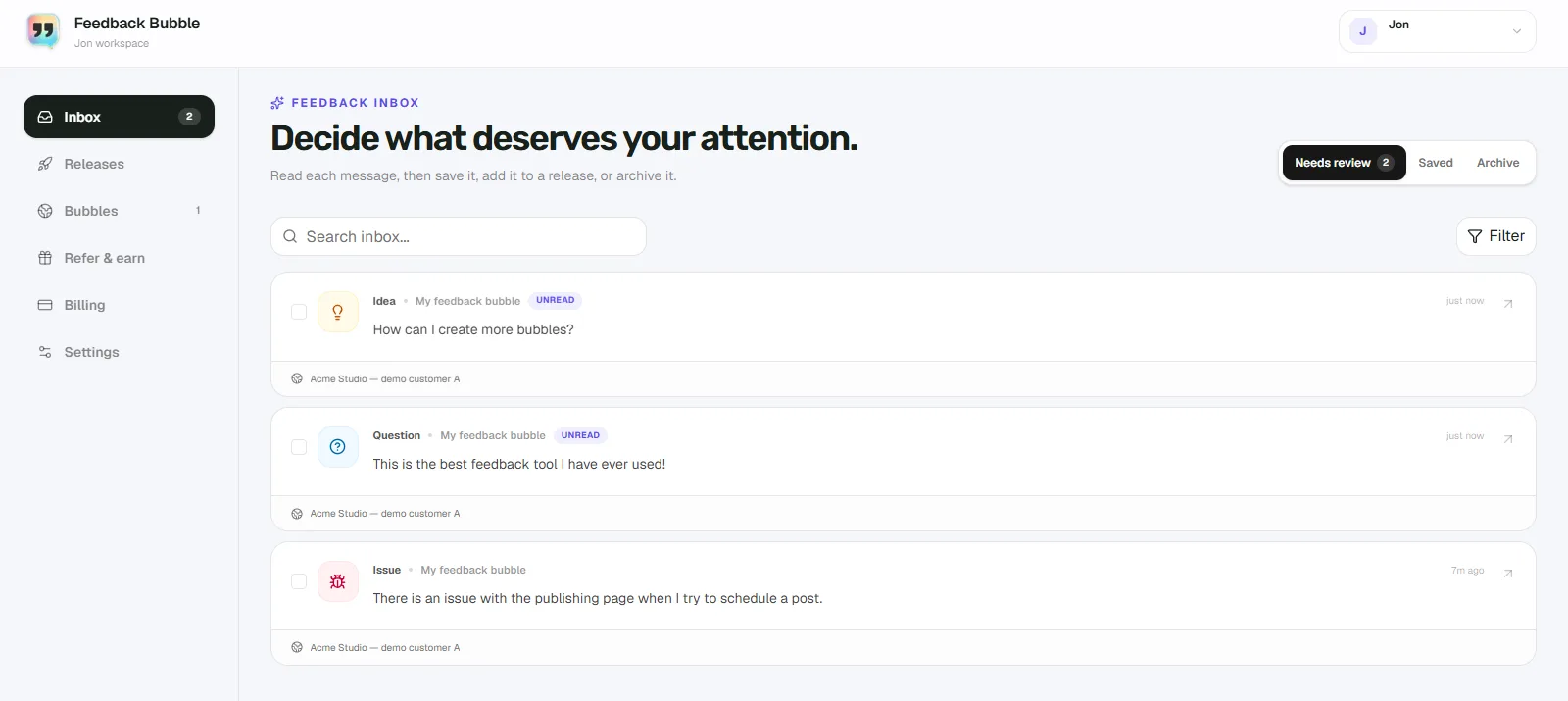
Feedback arrives in one inbox, where you can search and filter messages, save useful items or archive those that no longer need attention. When several messages point to the same underlying need, you can connect them to one planned product change. That helps you keep the original customer messages intact while deciding what, if anything, to build.
The live pricing page currently lists one Standard plan at $20 per month, with up to five feedback bubbles, 10,000 submissions per month and 12 months of feedback history. Check the pricing page for current details before choosing a plan.
Keep the channel that solves the other job
A feedback widget can make it easier to send product feedback in context; a contact form can remain the route for broader enquiries. Before adding either, write down the messages you want to receive and who will act on them. If you need page-specific bug reports and product ideas, start with a feedback widget and keep your existing contact channel for everything else.