 Feedback Bubble
A widget that fits your website
Choose the accent colour, launcher icon, position and wording. The live editor shows the exact open and closed states customers will use.
Product features
Create a polished customer-facing widget, install it securely and turn every message into something your team can understand and act on.
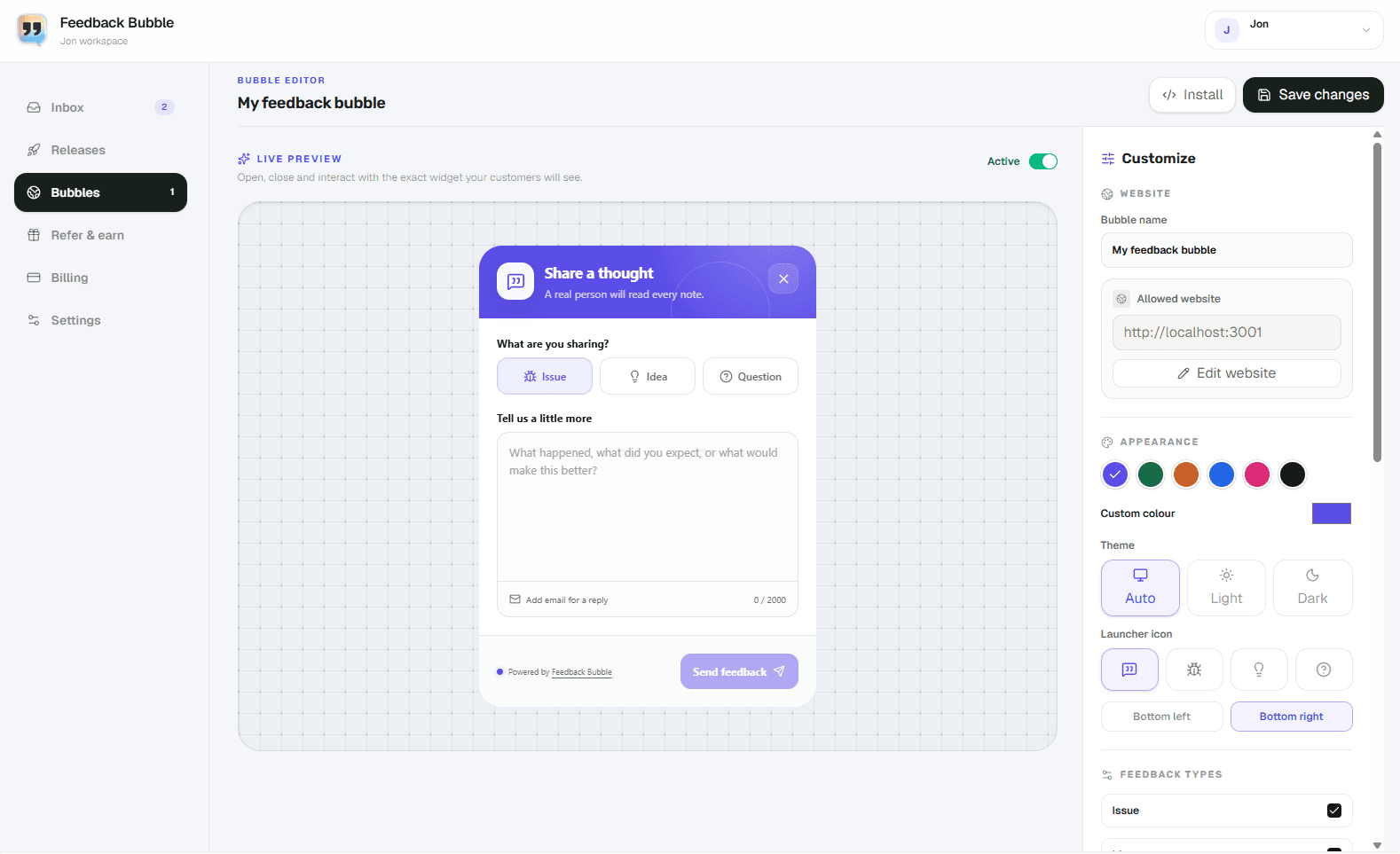
Choose the accent colour, launcher icon, position and wording. The live editor shows the exact open and closed states customers will use.
Enable the feedback types that make sense for each website instead of presenting customers with an oversized generic form.
Give each approved website its own design and public site key while keeping all incoming feedback in the same workspace.
See customer messages in newest-first order, filter by bubble or status and open any item to inspect its complete page context.
Move feedback through New, Open, In progress, Resolved and Archived without turning a lightweight inbox into a project-management suite.
Capture the page, browser, operating system and viewport automatically, with a clean summary and an expandable diagnostic breakdown.
Every bubble belongs to an approved production website, works on localhost during development and rejects other origins.
Load the widget with a script tag. Configuration is retrieved using the site key, so later design changes do not require another installation.
No surveys, roadmaps or noisy analytics suite. Feedback Bubble concentrates on making on-page feedback pleasant to submit and easy to review.
What customers experience
The widget stays out of the way until someone has something to share. It opens smoothly, asks only for the useful details and confirms when the message has arrived.
Create your first feedback bubble, match it to your website and install it with one script.