 Feedback Bubble
Fewer missing details
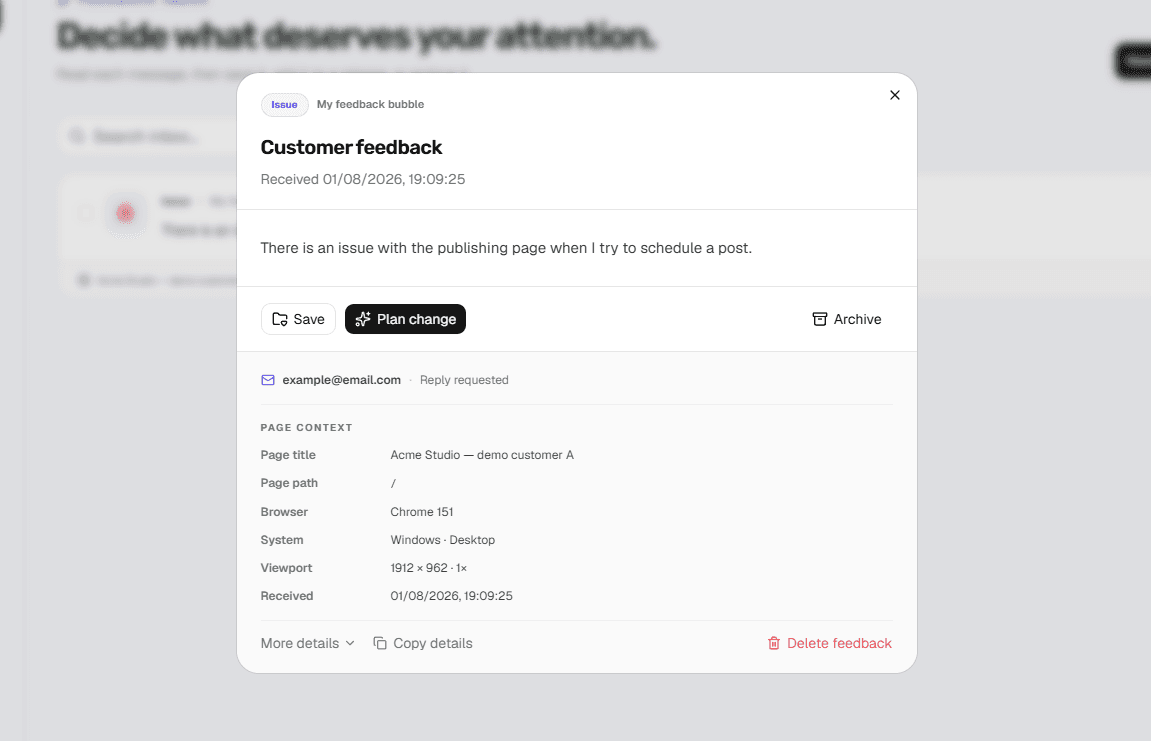
The current page and a bounded technical snapshot travel with every report.
Bug report widget
Give customers a quick way to describe a problem and automatically attach the page and technical context your product needs to investigate it.
Why it works
A short submission flow and useful automatic context make it easier for visitors to report something and for you to understand it.
The current page and a bounded technical snapshot travel with every report.
Customers stay inside your website instead of finding an email address or external ticket portal.
Move issues through New, Open, In progress, Resolved and Archived without adopting another project manager.
Setup
Each website keeps its own design and approved origin while every accepted message reaches the same private workspace.
Common questions
Not currently. Feedback Bubble focuses on written reports with page and technical context. Choose a visual QA tool if annotation is essential to your workflow.
No. Visitors submit directly through the website widget. If reply requests are enabled, they can optionally leave an email address.
Feedback includes the page URL, title and path plus bounded browser, operating-system, device and viewport details. Feedback Bubble does not scrape page content or form values.
Create your first feedback bubble, match it to your website and install it with one script.