 Feedback Bubble
Published 6 October 2026 · By Jonathan Jones
How to Handle Conflicting SaaS Feature Requests
A practical way to assess incompatible feature requests, find the problem behind each one and decide what to build without letting request volume make the decision for you.
%22%2F%3E%0A%20%20%3Cellipse%20cx%3D%22780%22%20cy%3D%22190%22%20rx%3D%22610%22%20ry%3D%22205%22%20transform%3D%22rotate(-12%20780%20190)%22%20fill%3D%22%23ebd8ae%22%20fill-opacity%3D%220.58%22%20filter%3D%22url(%23softer)%22%2F%3E%0A%20%20%3Cellipse%20cx%3D%22300%22%20cy%3D%22535%22%20rx%3D%22560%22%20ry%3D%22185%22%20transform%3D%22rotate(-10%20300%20535)%22%20fill%3D%22%23faf1f0%22%20fill-opacity%3D%220.56%22%20filter%3D%22url(%23softer)%22%2F%3E%0A%20%20%3Cellipse%20cx%3D%221110%22%20cy%3D%22565%22%20rx%3D%22430%22%20ry%3D%22215%22%20transform%3D%22rotate(-18%201110%20565)%22%20fill%3D%22%23f0bde2%22%20fill-opacity%3D%220.34%22%20filter%3D%22url(%23soft)%22%2F%3E%0A%3C%2Fsvg%3E)
When Requests Conflict
When SaaS customers ask for incompatible features, keep each request in its original wording, work out what problem it is meant to solve, and compare that problem with your product goals and constraints. Request volume is useful evidence, but it is not an automatic instruction to build something.
As an indie founder, you may not have a product team to investigate every request. A simple decision process can help you listen carefully without turning your roadmap into a list of competing demands.
Start with what each customer is trying to do
A feature request describes a possible solution. The underlying job is often more useful for deciding whether that solution fits your product. Preserve the customer’s message, then make a separate note about the problem you think it points to. Treat that interpretation as a hypothesis until you have enough context.
For example, a hypothetical subscription-management SaaS might receive requests for instant plan changes and for an approval step before a plan change takes effect. Those requests appear to conflict. The first may be about helping an account owner make a quick change; the second may be about preventing accidental or unauthorised changes. The product question is not simply which feature wins. It is whether these are different needs, perhaps for different roles, or whether supporting both would make the product harder to maintain.
This is an illustrative scenario, not a report of real customer requests. Before publishing a customer case study, replace it with anonymised messages you have permission to use. A product screenshot can show how you organise feedback, but it is not evidence that the example happened.
Use a consistent decision process
Keep the original request. Don’t rewrite it into a feature title and lose the customer’s wording. Record where it came from and any useful context, such as the page or workflow involved.
Ask what the customer was trying to achieve. If the request is unclear, follow up when appropriate. A short conversation can reveal whether the customer needs speed, control, fewer errors, or something else.
Compare the underlying problems. Look for a shared job, different user roles, or separate situations. Some requests that sound contradictory may be addressed by a permission, setting, or workflow choice. Don’t assume a compromise is worthwhile if it adds complexity without helping either group.
Check fit and cost. Ask whether the problem affects the customers your product serves, supports your current direction, and can be addressed within your time and technical constraints. Consider maintenance and the effect on other users, not only the work required to ship the first version.
Choose a decision and record why. You might build a focused solution, investigate further, defer the work, or decline it. Keep the reasoning brief enough that you can revisit it when new evidence arrives.
Treat request volume as evidence, not a vote
Several customers raising the same problem is a reason to investigate it. It does not, by itself, prove that a particular solution belongs in your product. A small number of requests may still matter if they come from a group you specifically serve or reveal a serious obstacle. A popular request may be a poor fit if it pulls the product away from its purpose or creates a cost you cannot support.
Look at the pattern behind the messages: who raised the issue, which part of the product they were using, and what happened next. Where you have direct access to customers, ask about their current workaround and how often the problem affects them. Feedback helps you choose what to investigate; product judgement is still yours.
For a broader framework, see how to prioritise customer feedback.
Keep conflicting requests visible in one workflow
If requests are scattered across email, chat, and notes, it becomes harder to compare them without losing the details. Feedback Bubble collects website feedback in one inbox. Visitors choose Issue, Idea, or Question, and a submission can include page and device context. That context can reduce basic follow-up questions, though it does not tell you what the customer intended.
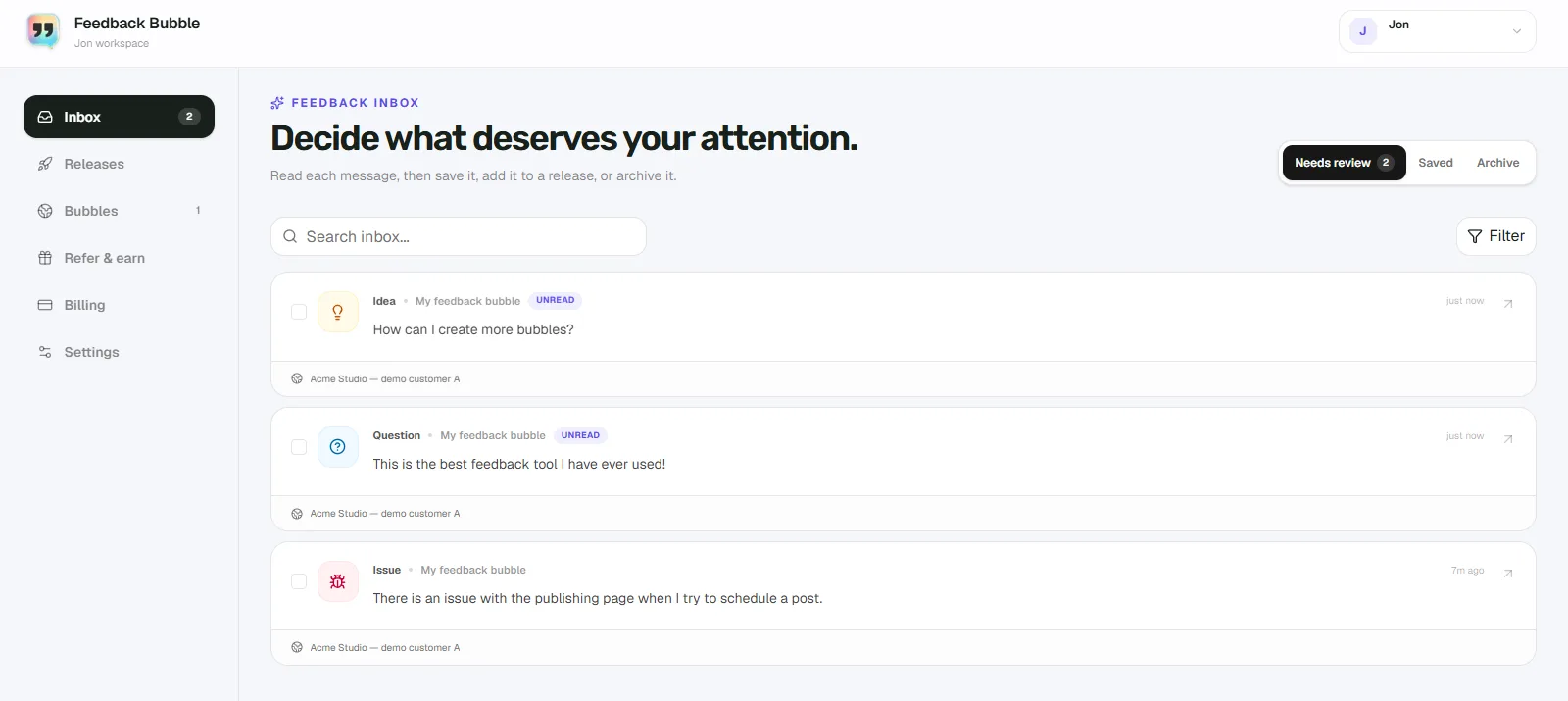
In Feedback Bubble, review messages in Needs review, keep useful messages in Saved, and move messages that no longer need attention to Archive. These are inbox locations, not customer-status labels. Saving or archiving a message does not change its original wording.
Turn a decision into a planned change
If you decide to act, group related messages under one outcome-focused planned change. For the hypothetical subscription product, a possible change might be “Give account owners control over plan-change approvals”. That name describes an intended outcome without copying either request or implying that both solutions have been selected.
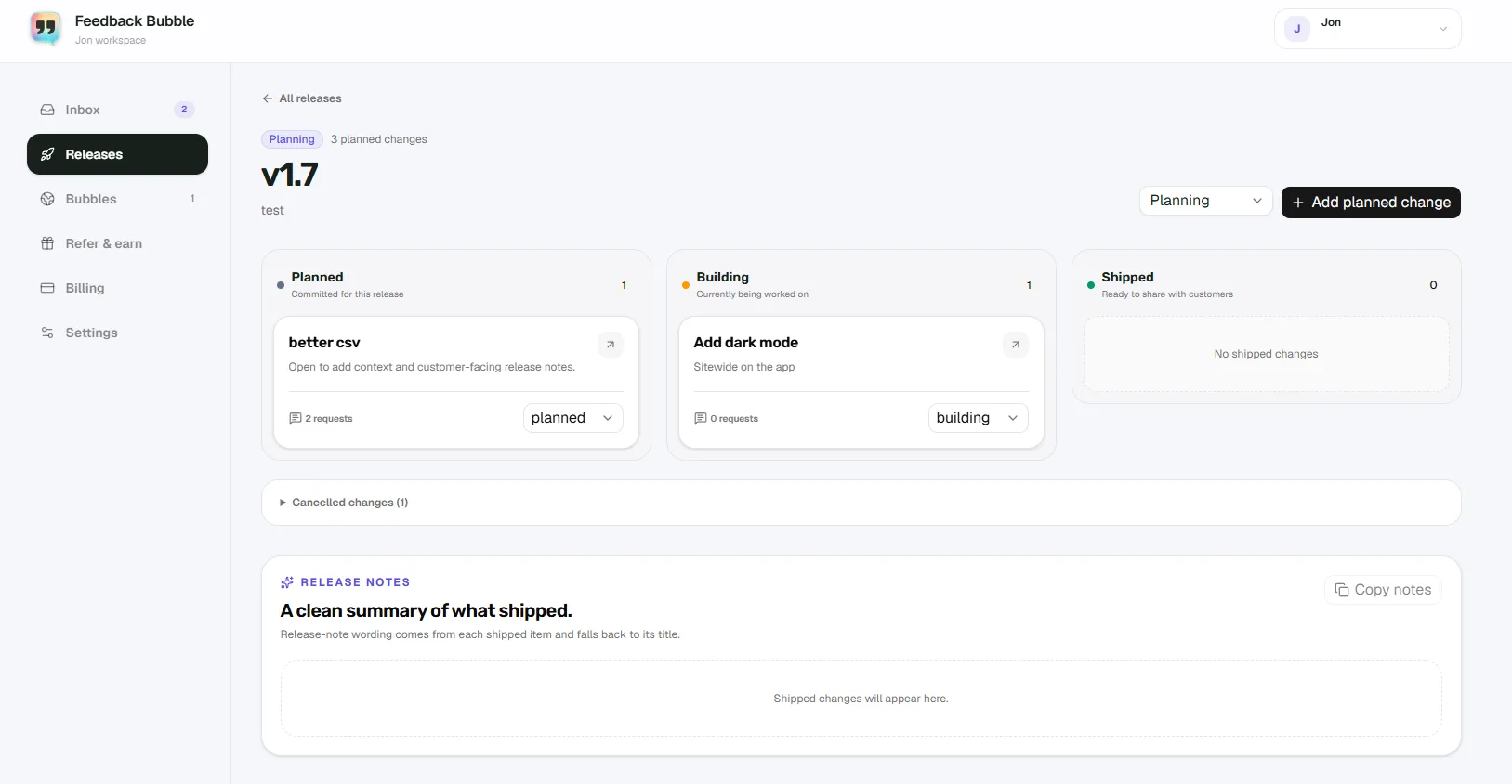
In Feedback Bubble, create a release from Dashboard > Releases > Create release. From Needs review or Saved, select related messages and choose Plan change to connect them to planned work. Planned changes can move through Planned, Building, and Shipped. The messages stay as customer feedback; the planned change records the work you chose to do.
This workflow helps you keep the evidence and your decision connected. It does not choose a feature for you, rank requests automatically, or mean every message should lead to product work.
Close the loop, even when you say no
A clear decision is more useful to customers than a vague promise. If you decline or defer a request, explain the reason plainly when you reply. If you ship a related change, describe what changed without suggesting that every request was implemented exactly as asked. Clear expectations help customers understand how their feedback informed your decision.
If visitors requested a reply and supplied an email address, Feedback Bubble lets you review and send a follow-up after a planned change is marked Shipped. You approve the message before it goes out.
When two feature requests pull your SaaS in different directions, preserve the messages, investigate the needs behind them, and make the trade-off explicit. To keep those requests organised while you decide, see how Feedback Bubble helps you organise customer feedback.