 Feedback Bubble
Published 27 October 2026 · By Jonathan Jones
SaaS Feedback Inbox: When to Save or Archive Customer Feedback
A practical way for indie SaaS founders to decide whether feedback needs review, should be saved for later, or can be archived without turning every suggestion into a roadmap commitment.
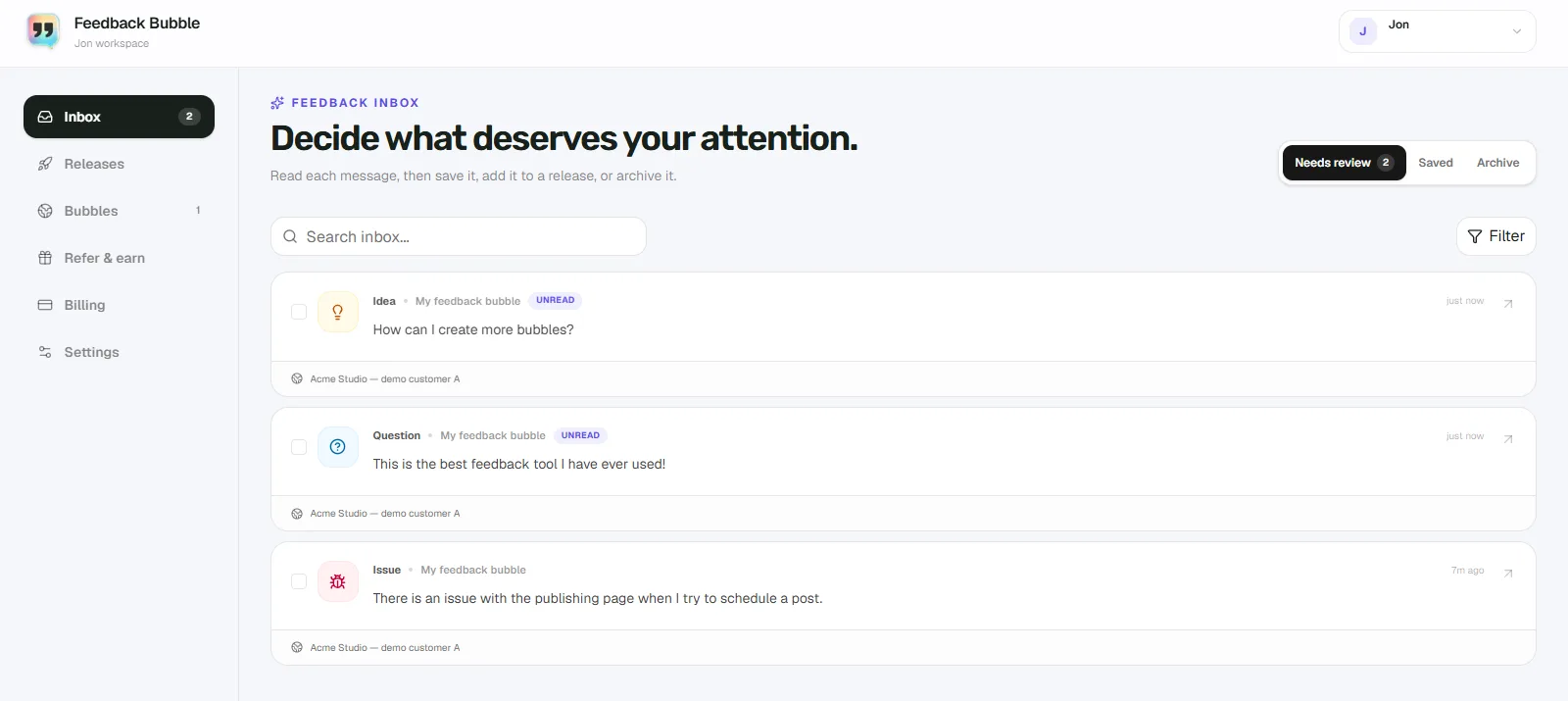
If you’re not ready to turn customer feedback into product work, save it when it may be useful later, keep it in Needs review when you still need to decide what it means, and archive it when it no longer needs attention. Saving a message is a way to retain a useful signal without promising to build the requested feature.
That distinction matters when you’re an indie founder handling requests between coding, support and release work. A suggestion can be worth keeping even when you don’t yet have enough evidence, time or confidence to add it to your plan.
Use three inbox views for three decisions
Treat the views as places to organise feedback, not as product-work statuses. The customer’s original message stays as it was written; you’re deciding how to handle it.
Needs review: a decision is still outstanding
Keep feedback in Needs review when you haven’t decided what to do with it. You might need to understand the problem, check whether it affects other customers, or decide whether it belongs in a planned change. Leaving it here makes the open decision visible without implying that you’ll build the requested solution.
Saved: useful signal, no commitment yet
Save a message when it could inform a later decision, but you don’t want it in the queue of feedback that needs an immediate decision. It might describe a real need, but the request is isolated, its relevance is unclear, or you’re waiting to see whether similar feedback arrives.
Archive: nothing more is needed now
Archive feedback when it no longer needs attention. For example, it may be a duplicate, concern an issue you’ve already handled, or describe something outside your product’s scope. Archiving clears it from active review; it doesn’t change the customer’s wording. Archived feedback can be returned to the inbox if it becomes relevant again.
A hypothetical example: save a request for a weekly digest
Suppose a customer writes: “Could you email me a weekly summary of my project activity? I don’t check the dashboard every day.” This is a hypothetical example. The message explains a specific need, but one request alone may not tell you whether a weekly email is the right solution or whether it fits your product’s priorities.
If you’ve understood the request and decided there’s no immediate action, put it in Saved. Keep the message available while you look for related feedback or consider the wider need, such as helping customers notice important activity. You can decide later whether that points to a product change. Saving it does not commit you to a weekly digest or a release.
How to choose a view during inbox review
For each message, ask: “Is there still a decision or follow-up I need to make?” Then choose the view that fits:
Yes, I still need to assess it: leave it in Needs review.
No immediate action, but it may help with a future decision: move it to Saved.
No further attention is needed: move it to Archive.
If you’re unsure whether a request is worth pursuing, keep it in Needs review until you’ve made a deliberate choice. If you’ve already decided to wait and want to keep the message for reference, Saved is a better fit. Avoid using Archive as a holding area for ideas you may still want to examine.
Keep evidence separate from planned work
A customer’s suggestion is evidence about their experience, not an instruction to build the suggested feature. Look for the problem behind the request and consider whether other messages point to the same need. Several related messages can support one planned change, but they don’t automatically settle its priority or design.
Feedback Bubble keeps customer messages separate from planned product work. In Dashboard > Inbox, you can review messages in Needs review, Saved or Archive. When you decide to pursue a change, you can connect relevant messages to planned work. That leaves the original feedback intact while giving you room to assess it before making a commitment.
If context would help you decide, check the page and device details attached to a message when available. They can reduce follow-up questions, but they don’t replace a clear account of what the customer wanted to do and what got in the way.
Make the next review easier
When you save a message, keep its original wording as your record of what the customer said. If you add an internal note or plan a change later, make clear that it is your interpretation, not a replacement for their request. A short, regular inbox review can help you revisit saved signals without moving every idea into your roadmap.
For a wider system for sorting customer messages, see how to organise customer feedback.