 Feedback Bubble
Published 8 October 2026 · By Jonathan Jones
SaaS Feedback to Release Notes: A Practical Workflow
A practical workflow for indie SaaS founders to preserve customer feedback, plan related product changes, and turn shipped work into clear release notes.
To turn SaaS feedback into trustworthy release notes, keep the original messages intact, group related requests under one outcome-focused change, track that change through planning and building, then write the customer-facing note when it ships. Treat the release note as an accurate account of what changed, not a promise that every request will be built.
Start with the customer’s words
Keep each message as it arrived, even when several messages point to the same problem. A customer’s wording can explain the situation behind a request; a planned change describes what your team decides to do about it. Combining those into one rewritten record makes it harder to tell customer evidence from your interpretation.
For example, a customer might ask for an export button, while another says they need to share weekly results with a client. Those messages may support one change, such as “Add CSV exports”. Preserve both original messages and link them to that planned change. The outcome-focused name is easier to plan around than a copied request, and it does not distort what either customer said.
A four-step feedback-to-release-notes workflow
1. Review and organise incoming feedback
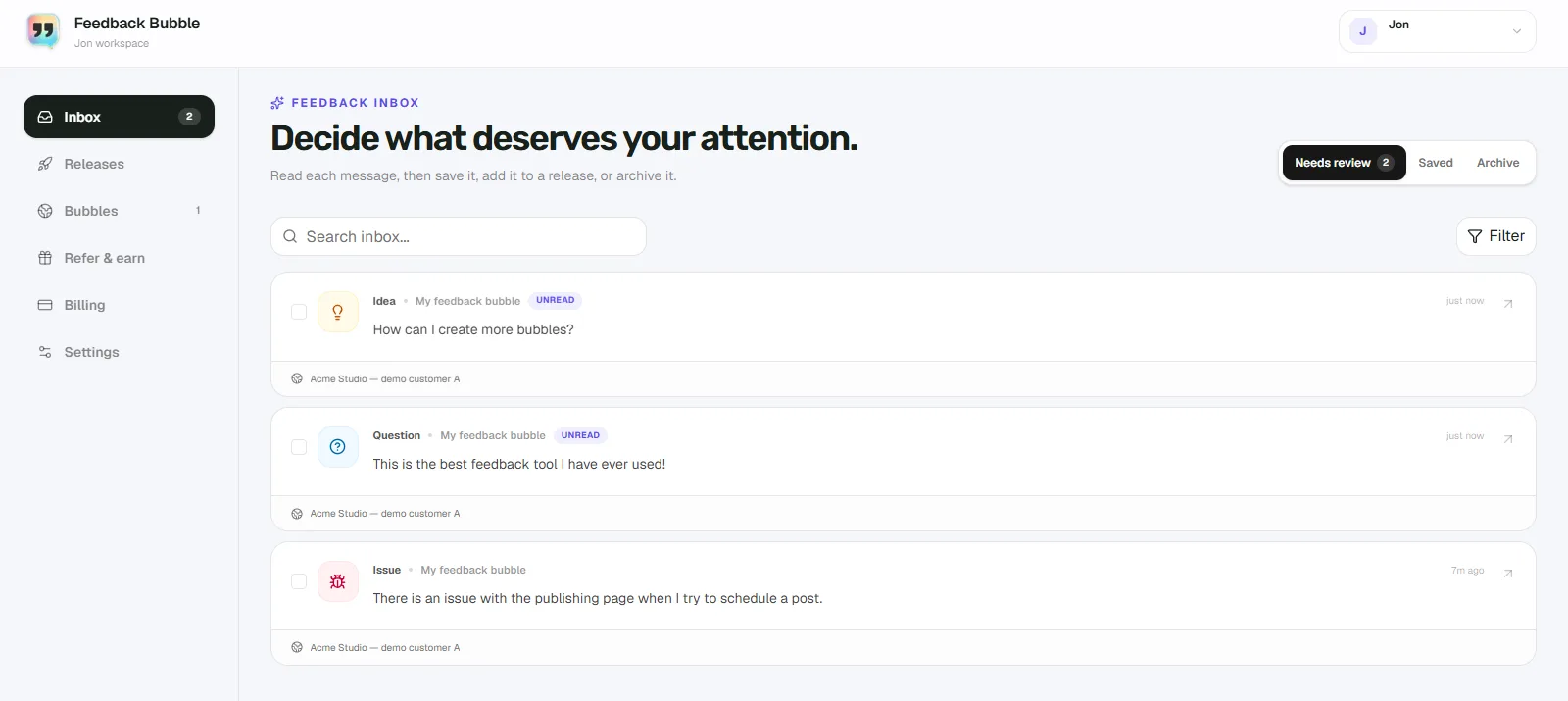
First, decide what each message needs next. Keep new feedback in a review queue, save messages worth revisiting, and archive items that no longer need attention. A request can be useful evidence without becoming planned work; avoid treating every message as a commitment.
If several people report the same issue, look at the messages together. Page or device context can help you understand where a report came from and reduce follow-up questions, but it does not replace a clear description from the customer. For advice on making this first pass, see how to organise customer feedback.
2. Group related messages under a planned change
Name the change by the outcome your team intends to deliver, such as “Let users export reports as CSV”. Attach the related feedback to it, but keep each original message separate. One planned change can be supported by several messages, and some messages may lead to no change at all.
This separation also helps you avoid overpromising. A request can inform your decision without dictating the implementation. Check whether the proposed change addresses the underlying problem, fits your product direction, and is practical for your team to deliver.
3. Track the work honestly
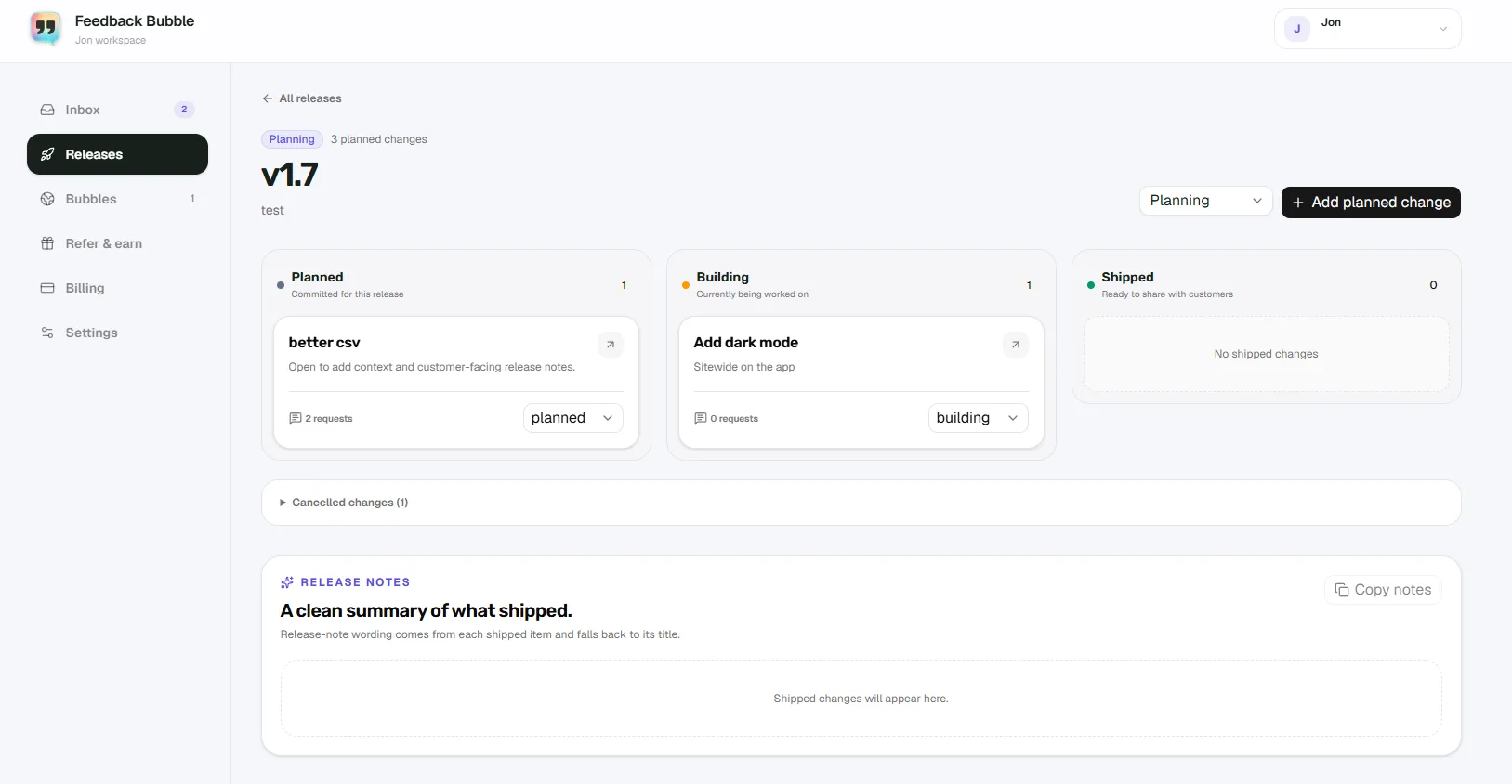
Move planned work through the stages that reflect what is actually happening. Use Planned when you have committed to the change, Building while work is underway, and Shipped once customers can use it. If you decide not to proceed, record that decision rather than leaving the item looking active.
A change in a planning tool is not evidence that a feature has shipped. Keeping the stages current gives you a reliable point to check before writing release notes.
4. Draft the note after the change ships
Write the release note for the customer who needs to understand what changed. State the capability or fix, and add a useful detail about who it helps or where to find it. Keep the wording within what you have verified in the product. If the delivered change differs from the original plan, describe what actually shipped.
For the CSV example, if the shipped feature lets users export a report from its results page, a clear note might be: “You can now export a report as a CSV from its results page, making it easier to use report data in other tools.” Use wording like this only if those details match the released product.
An illustrative example, from message to release note
The following is a hypothetical example, not a report from a Feedback Bubble customer. A founder of a small SaaS analytics tool receives this message: “I need to put the weekly figures into my client report, but copying them one by one takes too long.”
The founder keeps the message unchanged in the feedback inbox and reviews any available page context.
After receiving a second related message, the founder groups both under “Add CSV exports”. Each original message remains attached as evidence.
The planned change moves from Planned to Building as work begins, then to Shipped only when CSV export is available to customers.
The release note explains what customers can now do and where to find the export, based on the shipped behaviour.
That traceable path helps the founder explain the decision internally and write a note that does not claim more than the product delivers. For a real customer example in a published article, get permission, remove identifying details, and verify each product step before including it.
How Feedback Bubble supports the workflow
Feedback Bubble brings website feedback into one inbox. In Needs review, you can inspect new messages, search and filter them, and see details such as the website, page path, and received time. Messages can be moved to Saved for later or to Archive when they no longer need attention. These are inbox locations for your workflow; they do not rewrite the customer’s message.
To plan related feedback, select one or more messages and choose Plan change. Add them to an existing planned change or create a new one, then choose a release. Changes can be tracked as Planned, Building, Shipped, or Cancelled. When a change is shipped, you can add customer-facing release-note wording and copy the resulting notes. Feedback Bubble does not automatically publish a public changelog.
If customers attached to a shipped change requested a reply and supplied an email address, you can use Close the loop to prepare a follow-up. Review and edit the subject and message, then confirm the batch before sending. This is a manually reviewed email follow-up, not an automatic reply. It is separate from release-note copy, which you can publish through your own chosen channel.
For more on contacting customers after a decision, read how to close the customer feedback loop.
Keep release notes trustworthy
Keep customer messages separate from planned changes and release-note copy.
Do not imply that a suggestion was accepted until you have made that decision.
Mark work Shipped only when it is available to the customers the note addresses.
Describe the delivered behaviour, not the original plan if the two differ.
Review email follow-ups and release notes before sending or publishing them.
A small, accurate release note is more useful than a broad promise. Start by linking one related set of feedback to a planned change, then write its customer-facing wording when you can verify that the work has shipped.