 Feedback Bubble
Published 13 October 2026 · By Jonathan Jones
How to Manage SaaS Feedback Without a Public Roadmap
A practical way for indie SaaS founders to keep customer feedback private, turn related messages into planned work, and follow up when a change ships.
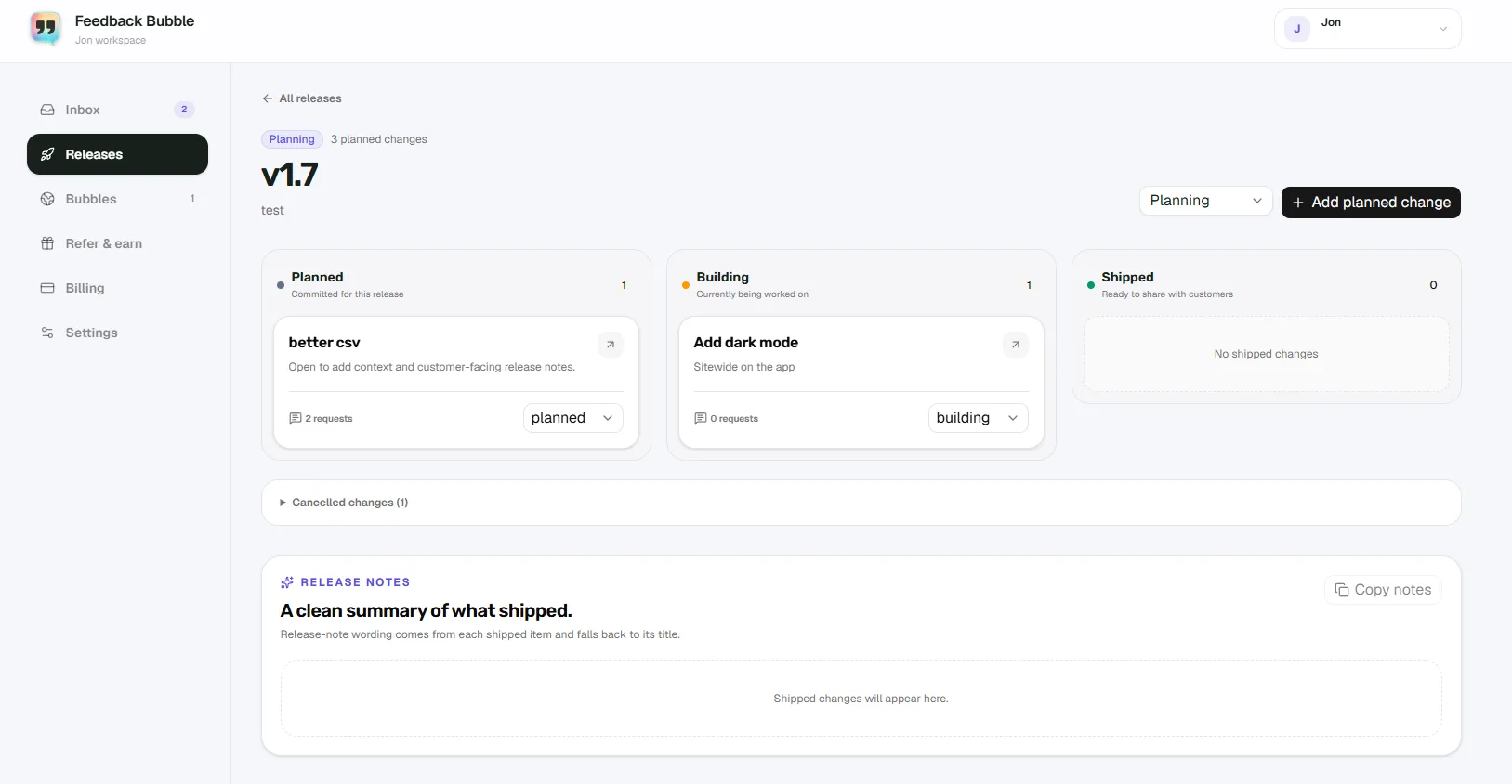
You can turn customer feedback into planned SaaS work without publishing a roadmap by keeping each original message intact, saving ideas you have not committed to, and grouping related messages under a private, outcome-focused change. Track that work through planning, building and shipping, then send a considered update to customers who asked to hear back.
A public roadmap can create expectations you may not want to manage as a solo developer or small team. A private workflow lets you listen, make product decisions on your own terms and communicate when there is something definite to share. The feedback is evidence for your judgement, not a list of promises.
Keep feedback separate from your commitments
A customer message describes one person’s experience or idea. A planned change records what you have decided to do about it. Keeping those separate means you can group several messages under one piece of work without rewriting the original feedback or suggesting that every request will be built.
Use three simple inbox decisions:
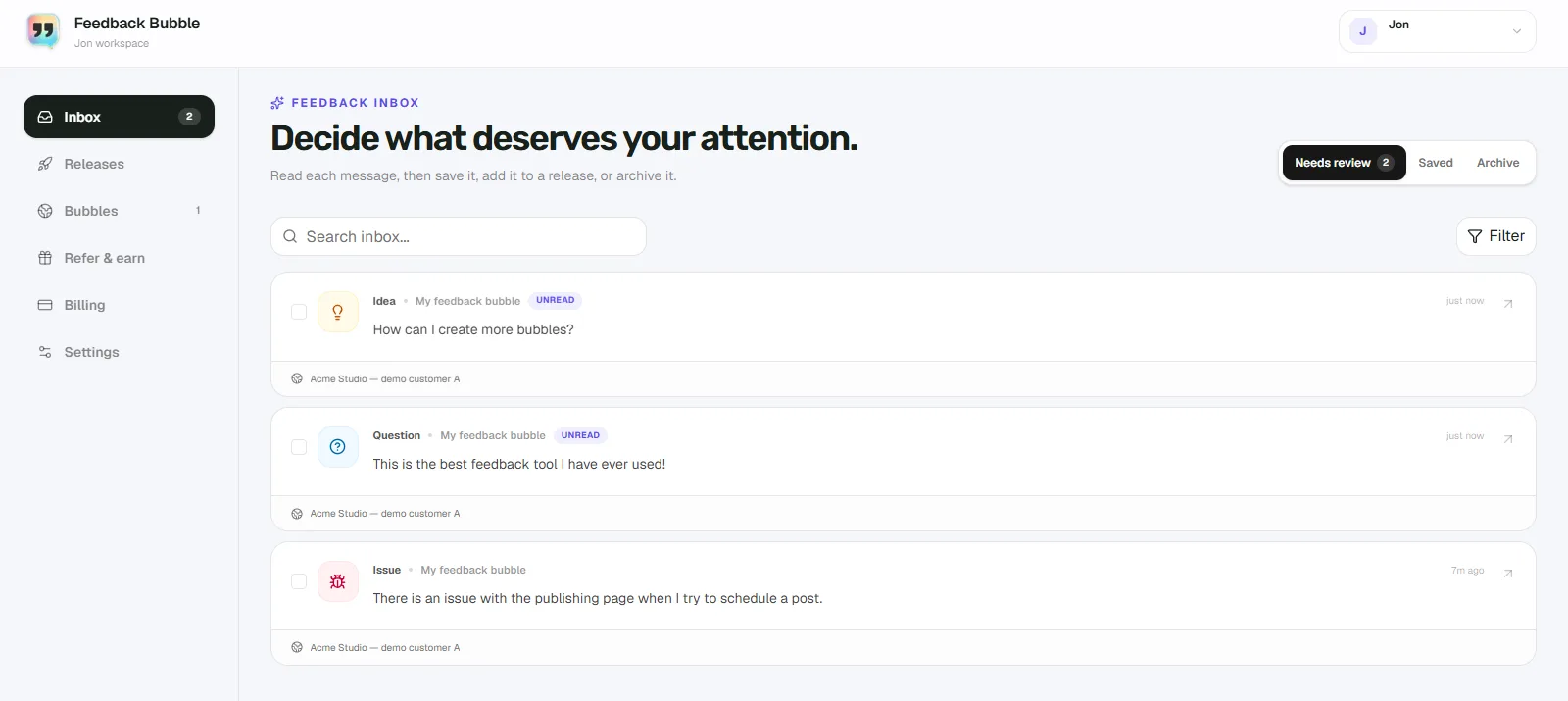
Keep new messages in Needs review while you decide what they mean and whether to act.
Move useful ideas you are not ready to commit to into Saved. They remain available to review later, without becoming planned work.
Move messages that no longer need attention to Archive. You can return them to the inbox if circumstances change.
Saving or archiving changes where a message sits in your workflow, not what the customer originally wrote. That distinction is useful when a feature request sounds persuasive but does not fit your current priorities.
Group related messages under an outcome
Look for the underlying need across messages, rather than treating each suggested feature as a separate instruction. Then name the planned change after the result you want to deliver. “Make account data easier to take elsewhere” describes an outcome; “Customer asked for CSV” simply repeats one proposed solution.
Before committing, consider who is affected, how serious the problem is, whether the change fits your product and what it will take to support. Several similar requests can be a reason to investigate a need. They do not automatically mean you should build the exact feature people asked for.
A hypothetical example: from three messages to one release change
Imagine a small invoicing SaaS receives three messages over time: one user asks how to export invoices, another says they need records for their accountant, and a third asks whether invoice data can be downloaded. These are hypothetical messages, not a customer case study.
Keep all three messages in Needs review while you check whether they point to the same problem. Preserve each customer’s wording and any useful page context.
If you want to investigate the idea but are not ready to schedule it, move the messages to Saved. They are recorded without implying a commitment.
Once you decide that easier data export is worth doing, create a private planned change called “Add invoice data export”. Connect the related messages to it and choose the release where you expect to do the work.
Move the planned change from Planned to Building when work begins, then to Shipped when it is ready to share. The original messages remain feedback; the change records your product decision.
The solution might be a downloadable file, an accountant-friendly report or something else. The grouped feedback helps you understand the need; it does not decide the implementation for you.
Keep the workflow private, then share what shipped
Private release planning gives you a place to organise work without publishing a public roadmap. You can record a release name, keep planned changes together and add short customer-facing release-note wording for changes that ship. That wording can help you explain the result, but it does not publish a changelog for you.
After a change ships, close the loop with care. In Feedback Bubble, follow-ups are available for messages where visitors requested a reply and supplied an email address. You review and edit the subject and message before confirming a batch. Recipients are deduplicated, and a person who has already received that shipped announcement is not sent it again.
A useful update says what changed and why it may help. Avoid implying that every customer’s exact suggestion was implemented if you chose a different solution. If you decide not to proceed, you can leave the feedback saved or archived and explain your decision separately when a reply is appropriate.
How Feedback Bubble supports private feedback planning
Feedback Bubble brings website feedback into one inbox, with Needs review, Saved and Archive views. From there, you can connect several related messages to a planned change, organise changes within a release, and track each one through Planned, Building and Shipped. This supports private work planning; Feedback Bubble does not publish a public roadmap.
Visitors can submit an Issue, Idea or Question without leaving your site. Submissions include page details and, when available, device and browser context. That context can reduce basic follow-up questions, but it cannot replace a clear description from the customer or tell you what feature to build.
For more detail on deciding what to do with incoming requests, read how to prioritise customer feedback. For the steps from a customer message to release-note copy, see the feedback-to-release-notes workflow.
A lightweight routine for a small team
Set a regular time to review new messages. Save ideas that need more evidence, group related feedback only when you see a meaningful shared need, and add planned work when you have made a decision. Check progress when you plan your next release. When something ships, decide who should hear about it and what you can accurately say.
That is enough structure for many indie SaaS teams: customer messages stay intact, private plans remain private, and customers who asked for a reply can hear what happened. To explore the full workflow, visit Feedback Bubble’s features.