 Feedback Bubble
Published 1 November 2026 · By Jonathan Jones
How to Review Your First SaaS Customer Feedback
A practical first-review workflow for indie SaaS founders: understand the message, check its context, choose what to do next and avoid treating one request as a commitment.
For your first few SaaS feedback submissions, read each message in full, check where and how it was sent, classify it as an Issue, Idea or Question, then decide whether to investigate, save it or plan a change. One request is a reason to pay attention, not a promise to build.
Early feedback can feel urgent because there is so little of it. A calm review helps you take each customer seriously without letting the latest message set your whole roadmap.
A simple first-review workflow
Read the original message. Start with the customer’s own words. Avoid rewriting a vague message into a more specific request before you understand what they meant.
Check the context. Look at the page or feature involved, then review any available device and browser details. Context can help you reproduce a problem or spot where a question came up, but it cannot tell you what the customer intended.
Choose the closest category. An Issue describes something broken or confusing. An Idea suggests a change. A Question asks for clarification. These categories help you sort the inbox; they do not decide what deserves product work.
Pick a next step. Investigate an issue, answer a question if the customer asked for a reply, save feedback worth revisiting, or connect a well-supported product change to planned work. Archive items that no longer need attention.
Write down why you decided. A short internal note about what you checked and what would change your mind makes the next review more consistent.
Hypothetical example: a question about inviting a teammate
Imagine your first submission says, “How do I invite another person to my workspace?” It arrived from the account settings page on a mobile browser. That is a Question, not automatically a feature request. The page and device context suggest where the customer got stuck, but you still need to check whether the invite option is hard to find, unavailable on mobile or simply unfamiliar to this user.
Suppose you review the settings page and find that the invite option is present but its label is unclear. You might improve the wording, then save the message as evidence for a later check. You do not need to create a planned change based on one question. If similar messages arrive, they may support a clearer change. If the customer requested a reply and provided an email address, you can respond directly; otherwise, the submission does not require an email address.
For a requested feature, check whether it solves a problem that fits your product and whether you have supporting evidence before committing to it. See how to validate SaaS feature requests before building for a more detailed decision process.
Use the inbox to keep decisions separate
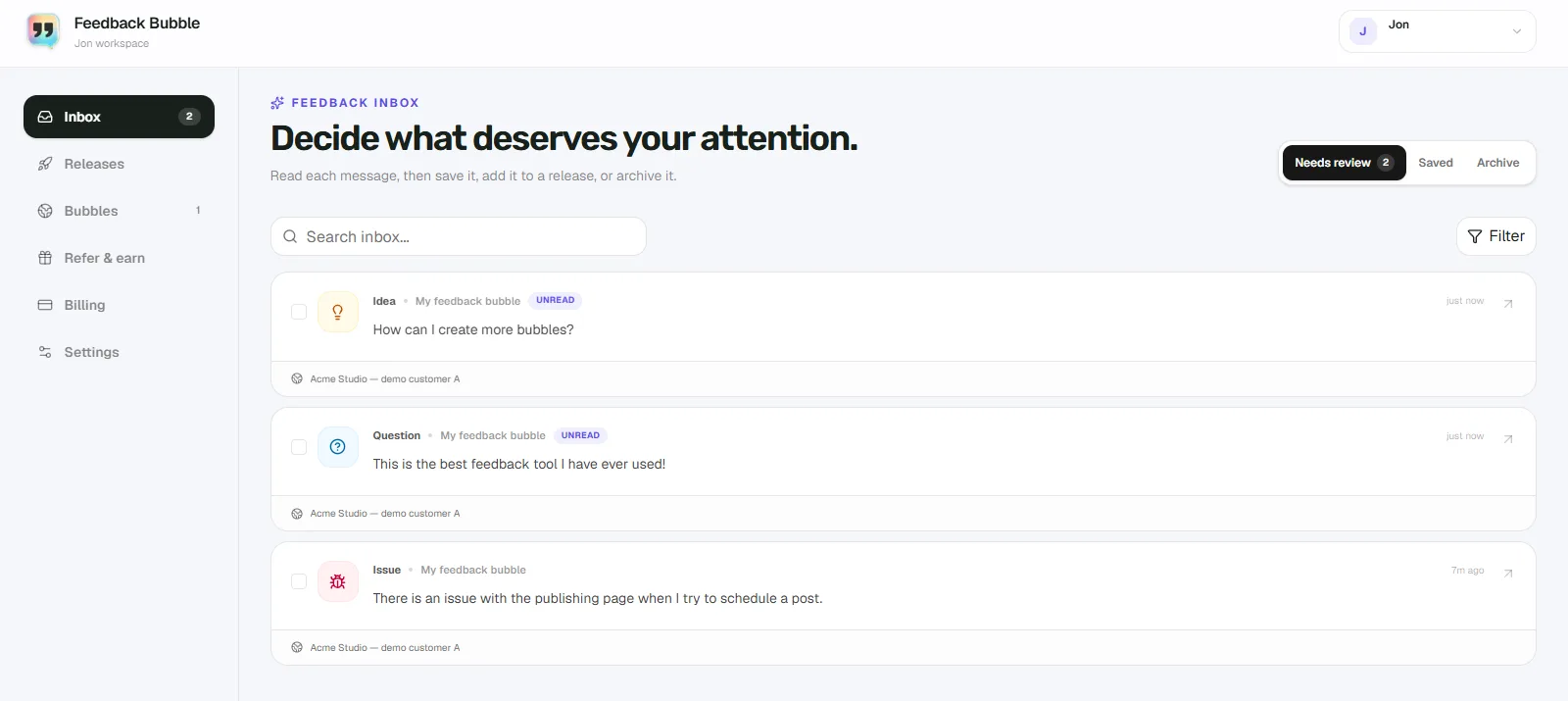
In Feedback Bubble, new submissions appear in **Needs review**. Open a message to read it and see its page information and available technical context. From there, you can save useful feedback for later, archive feedback that needs no further attention, or connect related messages to planned product work. Saving and archiving change where a message sits in your workflow, not what the customer wrote.
For a first submission, the useful outcome may be a decision to investigate, a reply, or a saved message. It does not have to become a roadmap item. If you are unsure whether to save or archive something, compare the two inbox options before choosing.
When feedback is ready to become planned work
Create planned work when you have a clear product outcome to pursue, not simply because a request arrived. Several related messages can support one change. Keep each customer’s original feedback intact, and name the change after the outcome, such as “Make workspace invitations easier to find”.
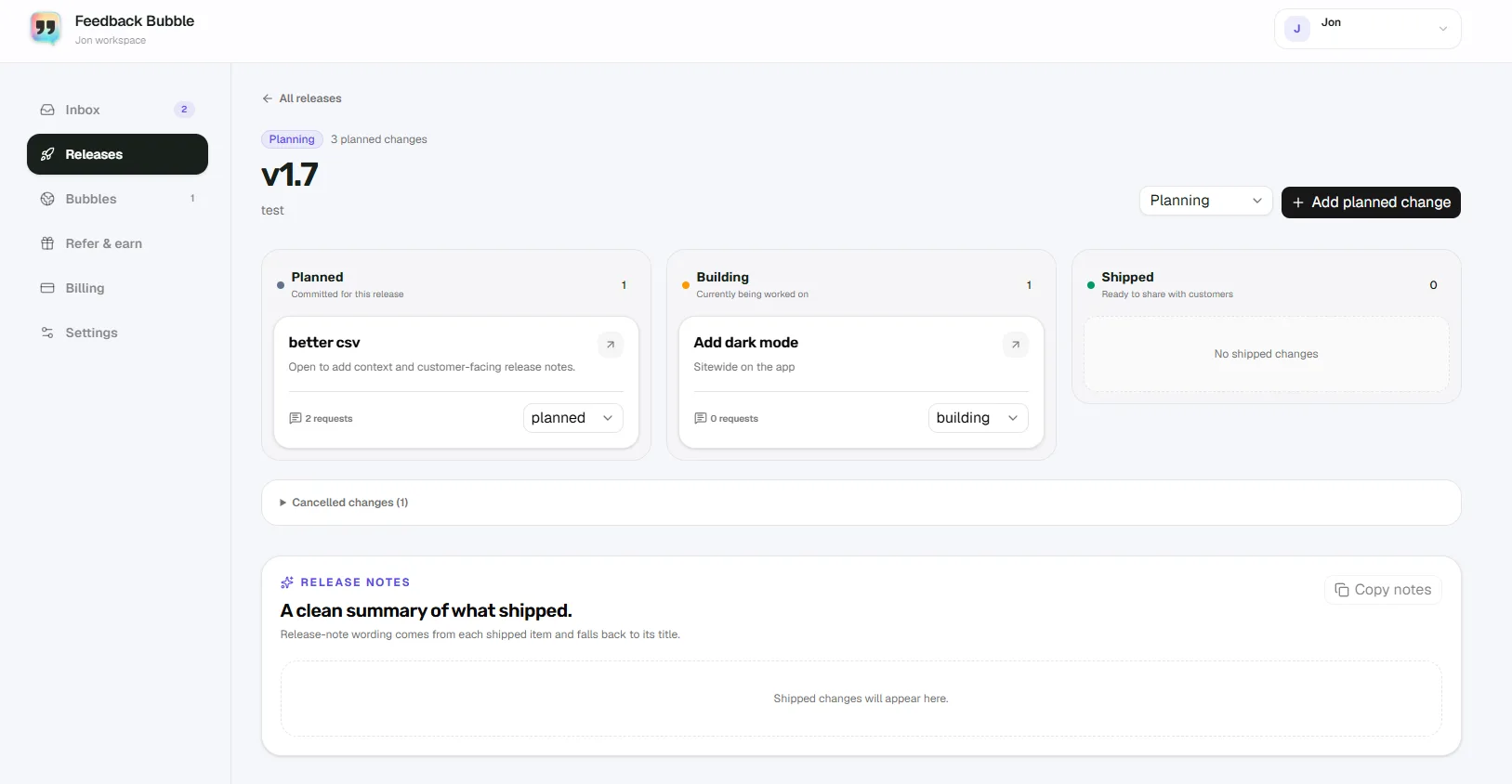
Feedback Bubble’s Releases area lets you associate related messages with a planned change and move that work through **Planned**, **Building** and **Shipped**. This gives you a way to keep customer evidence connected to the work without treating every message as a separate feature request.
The workflow supports your review; it cannot make the product decision for you. Consider whether the problem fits your product, what you observed when you checked it, and whether other evidence supports the change. A request may point to a need without prescribing the right solution.
Keep the first review lightweight
You do not need a large scoring system to review a handful of messages. For a bug report, try to reproduce the problem using the page and device details, then ask a follow-up question if the message is too vague. For a suggestion, record the problem it might solve and wait for more evidence if the decision is unclear. For a question, check whether a concise answer or a small improvement to the product or documentation would help.
A good first review ends with a clear next step, even when that step is “save this and look for a pattern”. Start with the message, check its context, make a deliberate decision and leave yourself a brief reason. That is enough to turn early feedback into useful evidence without promising to build everything.